 FinnInsight
Guides & Tutorials
Tips to get the most out of FinnInsight.
Automate with Apple Wallet
Save time by automatically logging transactions right when you tap your card using Apple Pay. Link your Wallet cards to FinnInsight using Apple Shortcuts.
- Open the Shortcuts app and create a new Automation.
- Select Transaction as the trigger, choose your Wallet, and set to "Run After Confirmation".
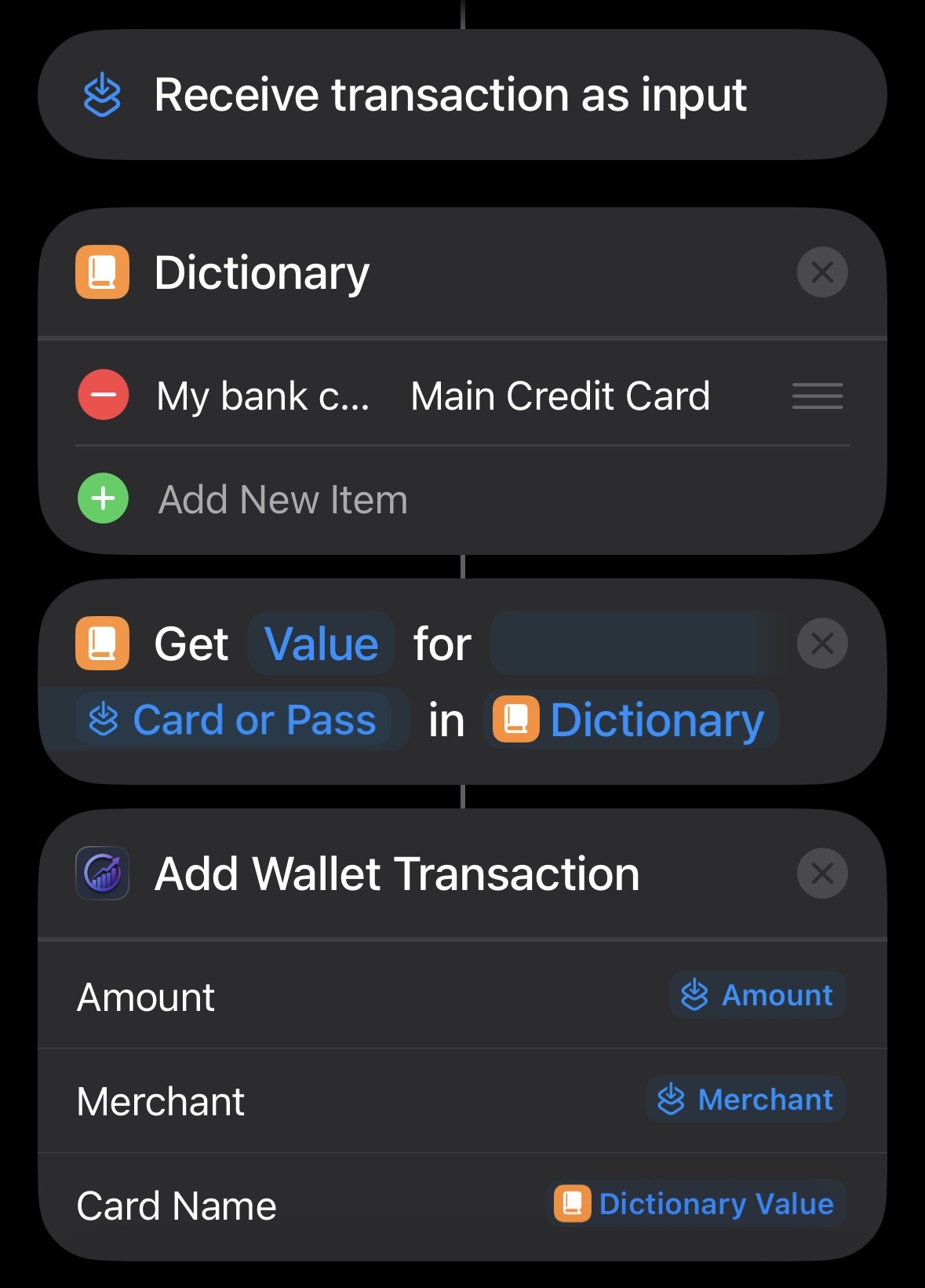
- Add a Dictionary action to map your Wallet card names to your FinnInsight card names.
- Add the Get Dictionary Value action to retrieve the matching card name for the shortcut input's "Card or Pass".
- Add the FinnInsight Add Wallet Transaction action and map the Amount, Merchant, and Card Name.